Welcome to the 2GNT Forum!
Home Site Background Info & Specs Mods & Tech Info CAPS Part Reviews Donate 2GNT Stickers
Search Printer-friendly copy 0 Users in Chat
Top Team 2GNT Community The Pits v3.1 topic #33721
View in linear mode

Subject: "Need help from a computer wiz" Previous topic | Next topic
eclipse982nrRSTJun-10-08 05:45 PM
Member since Mar 16th 2004
6314 posts,
Click to send email to this author Click to send private message to this author Click to view this author's profile Click to add this author to your buddy list
#33721, "Need help from a computer wiz"


I have an issue with my old laptop I use to run my MSnS.

I cannot open my Megatune Configurator because, when I try to open it, its says

"A required .DLL file, MFC42.DLL, was not found."

Click OkAY and it terminates.

I believe this is the main problem I am having with all my MS issues that I recently downloaded since I cannot change the settings in the conifgurator.

Now, I copied a 42dll from my desktop here at home, burnt it onto a cd, and then tried this..

Start>run>browse>D:\mfc42dll.exe

then it prompts me to what i would like to say is like a MSDos or something, and says MFC42.DLL already exists, overwrite? y/n?

I click and it says, WARNING! Can't create: MFC42.DLL

So, my question is, how the fuck do I fix this? It is old, windows 95, yes i know, and it has no internet, but i dont need anything fancy to run MSnS.

I have tried Searching for MFC42.DLL through the Start>find>files or folders>c:\>

and nothing comes up, i go into c:, windows, system and it shows no MFC42...? WTF?

First person that leads me through a fix for this, gets $10 paypal!

Please help me asap.

-MIKE-

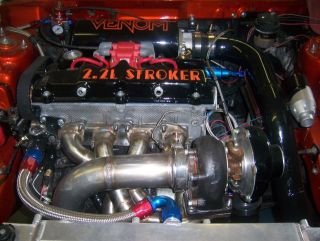
Stroked 2.2L
  

Report This Post to Admin Printer-friendly copy | Reply | Reply with quote | Top

Replies to this topic
RE: Need help from a computer wiz, cyan, Jun-10-08 08:17 PM, #1
RE: Need help from a computer wiz, eclipse982nrRST, Jun-11-08 12:40 AM, #2
      RE: Need help from a computer wiz, Fallen4ng31, Jun-11-08 01:50 AM, #3
           RE: Need help from a computer wiz, eclipse982nrRST, Jun-11-08 03:38 AM, #4
                RE: Need help from a computer wiz, eclipse982nrRST, Jun-11-08 04:30 AM, #5
                     RE: Need help from a computer wiz, Global Ruler Of All ThingsDarkOne, Jun-11-08 04:58 AM, #6
                          RE: Need help from a computer wiz, eclipse982nrRST, Jun-11-08 05:21 AM, #7
                               RE: Need help from a computer wiz, noboost, Jun-11-08 10:08 AM, #8
                                    RE: Need help from a computer wiz, eclipse982nrRST, Jun-11-08 11:10 AM, #9
                                         RE: Need help from a computer wiz, noboost, Jun-11-08 01:28 PM, #10
                                              RE: Need help from a computer wiz, eclipse982nrRST, Jun-11-08 03:42 PM, #11
                                                   RE: Need help from a computer wiz, Global Ruler Of All ThingsDarkOne, Jun-12-08 03:21 AM, #12
                                                   RE: Need help from a computer wiz, eclipse982nrRST, Jun-12-08 05:58 AM, #13
                                                   RE: Need help from a computer wiz, eclipse982nrRST, Jun-12-08 04:28 PM, #14
                                                   RE: Need help from a computer wiz, noboost, Jun-12-08 03:07 PM, #15

cyanJun-10-08 08:17 PM
Old School 2GNTer
2958 posts,
Click to send email to this author Click to send private message to this author Click to view this author's profile Click to add this author to your buddy list
#33723, "RE: Need help from a computer wiz"
In response to Reply # 0
Jun-10-08 08:20 PM by cyan


I assume you're getting the unable to copy error because it's attempting to copy the file to the CD, which is obviously not possible with a CD-R.

Just copy the file and paste it into the system32 folder.

EDIT: Oops, just realized you said windows 95...in that case there isn't a system32 folder. I believe the system files folder is just c:\Windows\System.


1995 Eclipse GS - HRC Stage 2 - Retired.
2004 350z Enthusiast / 2008 Nissan Versa SL


Report This Post to Admin Printer-friendly copy | Reply | Reply with quote | Top

    
eclipse982nrRSTJun-11-08 12:40 AM
Member since Mar 16th 2004
6314 posts,
Click to send email to this author Click to send private message to this author Click to view this author's profile Click to add this author to your buddy list
#33725, "RE: Need help from a computer wiz"
In response to Reply # 1


Originally posted by cyan
I assume you're getting the unable to copy error because it's attempting to copy the file to the CD, which is obviously not possible with a CD-R. Just copy the file and paste it into the system32 folder. EDIT: Oops, just realized you said windows 95...in that case there isn't a system32 folder. I believe the system files folder is just c:\Windows\System.


Tried reinstalling the program under

C:\WINDOWS\SYSTEM\MEGASQUIRT

and the same happens, A required .DLL error, MFC42.DLL was not found.

Its not that its not copying, the progam copies to the computer, it just will not copy it correctly.

-MIKE-

Stroked 2.2L


Report This Post to Admin Printer-friendly copy | Reply | Reply with quote | Top

        
Fallen4ng31Jun-11-08 01:50 AM
Donating 2GNT member
370 posts,
Click to send email to this author Click to send private message to this author Click to view this author's profile Click to add this author to your buddy list
#33727, "RE: Need help from a computer wiz"
In response to Reply # 2


Copy just the dll into both the windows\system directory and the i386 directory.

1998 Eclipse RS-T - Totaled 4/23/09 - emoji
1998 Eclipse GST - Stroked 2.3l, HX40 fed: Build in progress
2010 Subaru Outback Limited

I hate hipsters.


Report This Post to Admin Printer-friendly copy | Reply | Reply with quote | Top

            
eclipse982nrRSTJun-11-08 03:38 AM
Member since Mar 16th 2004
6314 posts,
Click to send email to this author Click to send private message to this author Click to view this author's profile Click to add this author to your buddy list
#33728, "RE: Need help from a computer wiz"
In response to Reply # 3


Originally posted by Fallen4ng31
Copy just the dll into both the windows\system directory and the i386 directory.


i tried that into the windows system directory and it would not let me. i did not try the i386, whatever that is.

-MIKE-

Stroked 2.2L


Report This Post to Admin Printer-friendly copy | Reply | Reply with quote | Top

                
eclipse982nrRSTJun-11-08 04:30 AM
Member since Mar 16th 2004
6314 posts,
Click to send email to this author Click to send private message to this author Click to view this author's profile Click to add this author to your buddy list
#33729, "RE: Need help from a computer wiz"
In response to Reply # 4


does anyone have a windows 95 backup disk that they can send me?

-MIKE-

Stroked 2.2L


Report This Post to Admin Printer-friendly copy | Reply | Reply with quote | Top

                    
Global Ruler Of All ThingsDarkOneJun-11-08 04:58 AM
Donating 2GNT member
14955 posts,
Click to send email to this author Click to send private message to this author Click to view this author's profile Click to add this author to your buddy list
#33730, "RE: Need help from a computer wiz"
In response to Reply # 5


Open the D: in explorer.

In another explorer window, open C:\WINDOWS\SYSTEM

Drag D:\MFC42.DLL to C:\WINDOWS\SYSTEM

Rejoice.

It seems to me that most of the MS issues you're having are a result of your complete and total computer illiteracy.

______________________________
If a sentence found online has 35% misspellings or greater and includes at least two racially charged expletives, chances are it is a YouTube comment.

'95 Eclipse TurboGS (garage deco)
'95 TSi AWD (restoring a survivor)
'97 Talon ESi-T (poor impulse control)
'99 Eclipse RS-T (daily beater)
'13 Evo X (mostly stock)
'17 Sienna (Middle Aged Dad Mobile)


Factory Service Manuals: http://nawdu.de/files/


Report This Post to Admin Printer-friendly copy | Reply | Reply with quote | Top

                        
eclipse982nrRSTJun-11-08 05:21 AM
Member since Mar 16th 2004
6314 posts,
Click to send email to this author Click to send private message to this author Click to view this author's profile Click to add this author to your buddy list
#33732, "RE: Need help from a computer wiz"
In response to Reply # 6


Originally posted by DarkOne
Open the D: in explorer. In another explorer window, open C:\WINDOWS\SYSTEM Drag D:\MFC42.DLL to C:\WINDOWS\SYSTEM Rejoice. It seems to me that most of the MS issues you're having are a result of your complete and total computer illiteracy.


I agree, I admit, I am a monkey when it comes to computers.

I know how to type in letters and numbers, thats about it emoji

-MIKE-

Stroked 2.2L


Report This Post to Admin Printer-friendly copy | Reply | Reply with quote | Top

                            
noboostJun-11-08 10:08 AM
Member since Mar 16th 2007
6 posts,
Click to send email to this author Click to send private message to this author Click to view this author's profile Click to add this author to your buddy list
#33748, "RE: Need help from a computer wiz"
In response to Reply # 7


Originally posted by eclipse982nrRST
I admit, I am a monkey when it comes to computers. I know how to type in letters and numbers, thats about it emoji

So where in your decision making process did it occur to you that a custom open source hardware computer, that requires in-depth computer knowledge to operate, would be a good fit for you?

Hahn Racecraft makes a Portfueler that comes preconfigured. You plug it in and it works.


Report This Post to Admin Printer-friendly copy | Reply | Reply with quote | Top

                                
eclipse982nrRSTJun-11-08 11:10 AM
Member since Mar 16th 2004
6314 posts,
Click to send email to this author Click to send private message to this author Click to view this author's profile Click to add this author to your buddy list
#33749, "RE: Need help from a computer wiz"
In response to Reply # 8


Originally posted by noboost
Originally posted by eclipse982nrRST I admit, I am a monkey when it comes to computers. I know how to type in letters and numbers, thats about it emoji
So where in your decision making process did it occur to you that a custom open source hardware computer, that requires in-depth computer knowledge to operate, would be a good fit for you? Hahn Racecraft makes a Portfueler that comes preconfigured. You plug it in and it works.


I can figure that stuff out by reading and researching.

I was perfectly fine with everything until I upgraded MT versions, then everything went to hell, Sir.

-MIKE-

Stroked 2.2L


Report This Post to Admin Printer-friendly copy | Reply | Reply with quote | Top

                                    
noboostJun-11-08 01:28 PM
Member since Mar 16th 2007
6 posts,
Click to send email to this author Click to send private message to this author Click to view this author's profile Click to add this author to your buddy list
#33752, "RE: Need help from a computer wiz"
In response to Reply # 9
Jun-11-08 01:49 PM by noboost


Originally posted by eclipse982nrRST
I can figure that stuff out by reading and researching.

Reinstall megasquirt to C:\megasquirt
Then click Start->Run->command
c:
copy c:\windows\system\mfc42.dll C:\megasquirt\

If that doesn't work-
http://support.microsoft.com/default.aspx?scid=kb;en-us;259403
Install the latest MFC patch from that link. Reboot.

There are dozens of revisions of MFC42.dll and every program requires a slightly different version. Usually, newer revisions of a DLL will work with all older programs, and the DLL will usually be larger in size. This is called "DLL Hell" and is why Windows XP was invented.

If that doesn't solve it,
copy d:\mfc42.dll c:\
reboot
hit F8 a few times, the instant you hear the reboot beep
you will get a special menu, choose "command line only".
copy c:\mfc42.dll c:\windows\system
copy c:\mfc42.dll c:\windows
reboot

If none of that works, post the exact error message exactly as it appears when you run Megasquirt.


Report This Post to Admin Printer-friendly copy | Reply | Reply with quote | Top

                                        
eclipse982nrRSTJun-11-08 03:42 PM
Member since Mar 16th 2004
6314 posts,
Click to send email to this author Click to send private message to this author Click to view this author's profile Click to add this author to your buddy list
#33754, "RE: Need help from a computer wiz"
In response to Reply # 10


Originally posted by noboost
Originally posted by eclipse982nrRST I can figure that stuff out by reading and researching.
Reinstall megasquirt to C:\megasquirt Then click Start->Run->command c: copy c:\windows\system\mfc42.dll C:\megasquirt\ If that doesn't work- http://support.microsoft.com/default.aspx?scid=kb;en-us;259403 Install the latest MFC patch from that link. Reboot. There are dozens of revisions of MFC42.dll and every program requires a slightly different version. Usually, newer revisions of a DLL will work with all older programs, and the DLL will usually be larger in size. This is called "DLL Hell" and is why Windows XP was invented. If that doesn't solve it, copy d:\mfc42.dll c:\ reboot hit F8 a few times, the instant you hear the reboot beep you will get a special menu, choose "command line only". copy c:\mfc42.dll c:\windows\system copy c:\mfc42.dll c:\windows reboot If none of that works, post the exact error message exactly as it appears when you run Megasquirt.


Okay, well here is the update.

I did what Dino said, and just dragged the MFC42.dll that i downloaded from my desktop onto a cd. So I dragged the MFC42 from the D: to the C:/Windows/system and that fixed that.

Then, next I got an error saying the same thing about a MSVRCT.DLL, so i copied from my desktop and same thing, transfered to the windows\system. Tried opening the configurator for MS again, and then got...

"The MSVCRT.DLL file is linked to missing export NTDLL.DLL:RtlGetNtVersionNumbers"


so, went to the dektop and same thing with a NTDLL.DLL, dragged it to the windows system and now i get 2 things.

first to pop up is:

C:\ProgramFiles\megasquirt\megatune2.25\mtcfg.exe
a device attatched to the system is not functioning.

Click OK and get:

The C:\\windows\system\ntdll.dll file expects a newer version of windows. Upgrade your windows version.

LOL this is amazing, none of this ever hapened until I tried to upload a new version of megatune!!!

so, what shall i do now sir?

-MIKE-

Stroked 2.2L


Report This Post to Admin Printer-friendly copy | Reply | Reply with quote | Top

                                            
Global Ruler Of All ThingsDarkOneJun-12-08 03:21 AM
Donating 2GNT member
14955 posts,
Click to send email to this author Click to send private message to this author Click to view this author's profile Click to add this author to your buddy list
#33762, "RE: Need help from a computer wiz"
In response to Reply # 11


Originally posted by eclipse982nrRST
Originally posted by noboost
Originally posted by eclipse982nrRST I can figure that stuff out by reading and researching.
Reinstall megasquirt to C:\megasquirt Then click Start->Run->command c: copy c:\windows\system\mfc42.dll C:\megasquirt\ If that doesn't work- http://support.microsoft.com/default.aspx?scid=kb;en-us;259403 Install the latest MFC patch from that link. Reboot. There are dozens of revisions of MFC42.dll and every program requires a slightly different version. Usually, newer revisions of a DLL will work with all older programs, and the DLL will usually be larger in size. This is called "DLL Hell" and is why Windows XP was invented. If that doesn't solve it, copy d:\mfc42.dll c:\ reboot hit F8 a few times, the instant you hear the reboot beep you will get a special menu, choose "command line only". copy c:\mfc42.dll c:\windows\system copy c:\mfc42.dll c:\windows reboot If none of that works, post the exact error message exactly as it appears when you run Megasquirt.
Okay, well here is the update. I did what Dino said, and just dragged the MFC42.dll that i downloaded from my desktop onto a cd. So I dragged the MFC42 from the D: to the C:/Windows/system and that fixed that. Then, next I got an error saying the same thing about a MSVRCT.DLL, so i copied from my desktop and same thing, transfered to the windows\system. Tried opening the configurator for MS again, and then got... "The MSVCRT.DLL file is linked to missing export NTDLL.DLL:RtlGetNtVersionNumbers" so, went to the dektop and same thing with a NTDLL.DLL, dragged it to the windows system and now i get 2 things. first to pop up is: C:\ProgramFiles\megasquirt\megatune2.25\mtcfg.exe a device attatched to the system is not functioning. Click OK and get: The C:\\windows\system\ntdll.dll file expects a newer version of windows. Upgrade your windows version. LOL this is amazing, none of this ever hapened until I tried to upload a new version of megatune!!! so, what shall i do now sir?


Remove ntdll.dll. It's from 2K/XP. Remove that version of msvcrt.dll.

Download this: http://www.aggsoft.com/download/msvcrt.exe

Run it. Copy msvcrt.dll to c:\windows\system

Rejoice.

______________________________
If a sentence found online has 35% misspellings or greater and includes at least two racially charged expletives, chances are it is a YouTube comment.

'95 Eclipse TurboGS (garage deco)
'95 TSi AWD (restoring a survivor)
'97 Talon ESi-T (poor impulse control)
'99 Eclipse RS-T (daily beater)
'13 Evo X (mostly stock)
'17 Sienna (Middle Aged Dad Mobile)


Factory Service Manuals: http://nawdu.de/files/


Report This Post to Admin Printer-friendly copy | Reply | Reply with quote | Top

                                                
eclipse982nrRSTJun-12-08 05:58 AM
Member since Mar 16th 2004
6314 posts,
Click to send email to this author Click to send private message to this author Click to view this author's profile Click to add this author to your buddy list
#33767, "RE: Need help from a computer wiz"
In response to Reply # 12


Originally posted by DarkOne
Originally posted by eclipse982nrRST
Originally posted by noboost
Originally posted by eclipse982nrRST I can figure that stuff out by reading and researching.
Reinstall megasquirt to C:\megasquirt Then click Start->Run->command c: copy c:\windows\system\mfc42.dll C:\megasquirt\ If that doesn't work- http://support.microsoft.com/default.aspx?scid=kb;en-us;259403 Install the latest MFC patch from that link. Reboot. There are dozens of revisions of MFC42.dll and every program requires a slightly different version. Usually, newer revisions of a DLL will work with all older programs, and the DLL will usually be larger in size. This is called "DLL Hell" and is why Windows XP was invented. If that doesn't solve it, copy d:\mfc42.dll c:\ reboot hit F8 a few times, the instant you hear the reboot beep you will get a special menu, choose "command line only". copy c:\mfc42.dll c:\windows\system copy c:\mfc42.dll c:\windows reboot If none of that works, post the exact error message exactly as it appears when you run Megasquirt.
Okay, well here is the update. I did what Dino said, and just dragged the MFC42.dll that i downloaded from my desktop onto a cd. So I dragged the MFC42 from the D: to the C:/Windows/system and that fixed that. Then, next I got an error saying the same thing about a MSVRCT.DLL, so i copied from my desktop and same thing, transfered to the windows\system. Tried opening the configurator for MS again, and then got... "The MSVCRT.DLL file is linked to missing export NTDLL.DLL:RtlGetNtVersionNumbers" so, went to the dektop and same thing with a NTDLL.DLL, dragged it to the windows system and now i get 2 things. first to pop up is: C:\ProgramFiles\megasquirt\megatune2.25\mtcfg.exe a device attatched to the system is not functioning. Click OK and get: The C:\\windows\system\ntdll.dll file expects a newer version of windows. Upgrade your windows version. LOL this is amazing, none of this ever hapened until I tried to upload a new version of megatune!!! so, what shall i do now sir?
Remove ntdll.dll. It's from 2K/XP. Remove that version of msvcrt.dll. Download this: http://www.aggsoft.com/download/msvcrt.exe Run it. Copy msvcrt.dll to c:\windows\system Rejoice.


oh baby, im getting excited to get home from work now.

do i need internet access to run that link, or can i save it to disk and run it off that?

-MIKE-

Stroked 2.2L


Report This Post to Admin Printer-friendly copy | Reply | Reply with quote | Top

                                                
eclipse982nrRSTJun-12-08 04:28 PM
Member since Mar 16th 2004
6314 posts,
Click to send email to this author Click to send private message to this author Click to view this author's profile Click to add this author to your buddy list
#33791, "RE: Need help from a computer wiz"
In response to Reply # 12


Thanks to talking to DINO last night on AIM, we got this all figured out and everything is working now!

Thanks again Dino, you fucking rock.

NoBoost and everyone else, thank you very much also for everyone's input here!

-MIKE-

Stroked 2.2L


Report This Post to Admin Printer-friendly copy | Reply | Reply with quote | Top

                                            
noboostJun-12-08 03:07 PM
Member since Mar 16th 2007
6 posts,
Click to send email to this author Click to send private message to this author Click to view this author's profile Click to add this author to your buddy list
#33790, "RE: Need help from a computer wiz"
In response to Reply # 11
Jun-12-08 03:08 PM by noboost


Originally posted by eclipse982nrRST
Okay, well I did what Dino said
so, what shall i do now sir?

You could start by following the instructions I gave you.

http://support.microsoft.com/default.aspx?scid=kb;en-us;259403
Download it. Install it. DLLs are not standalone, they must be installed as a package, or your problems are just going to get worse.


Report This Post to Admin Printer-friendly copy | Reply | Reply with quote | Top

Top Team 2GNT Community The Pits v3.1 topic #33721 Previous topic | Next topic
Powered by DCForum+ Version 2.2
Copyright 1997-2005 DCScripts.com, Copyright 2005-2026 2gnt.com
Generated in 0.041 seconds, executing 44 queries.